Pricing Library
Where a Decodification Master driver row's charge method actually gets a rupee amount.
Decodification Master decides that a row moves price, and how — a fixed amount, an amount per parameter, or a rate table. The Pricing Library is where those figures are kept, against a shared library value like “SS 316” or “ASA 150” (see Decodification). A figure can be entered here, browsing by library value across every item group that uses it — or beside the option, in Decodification Master’s own row editor, while you’re already there setting how it’s charged. Both routes write the same rate.
Only driver rows show up here
A library value’s pricing screen groups by every item group that uses it, and within each item group only by rows marked Driver in Decodification Master, and only for options that already have a charge method chosen there. A group with nothing to price yet reads “Nothing to price at this version — no fixed, by-parameter, or table usages here.” A group with some rates set and some still missing shows an N/M priced count instead.
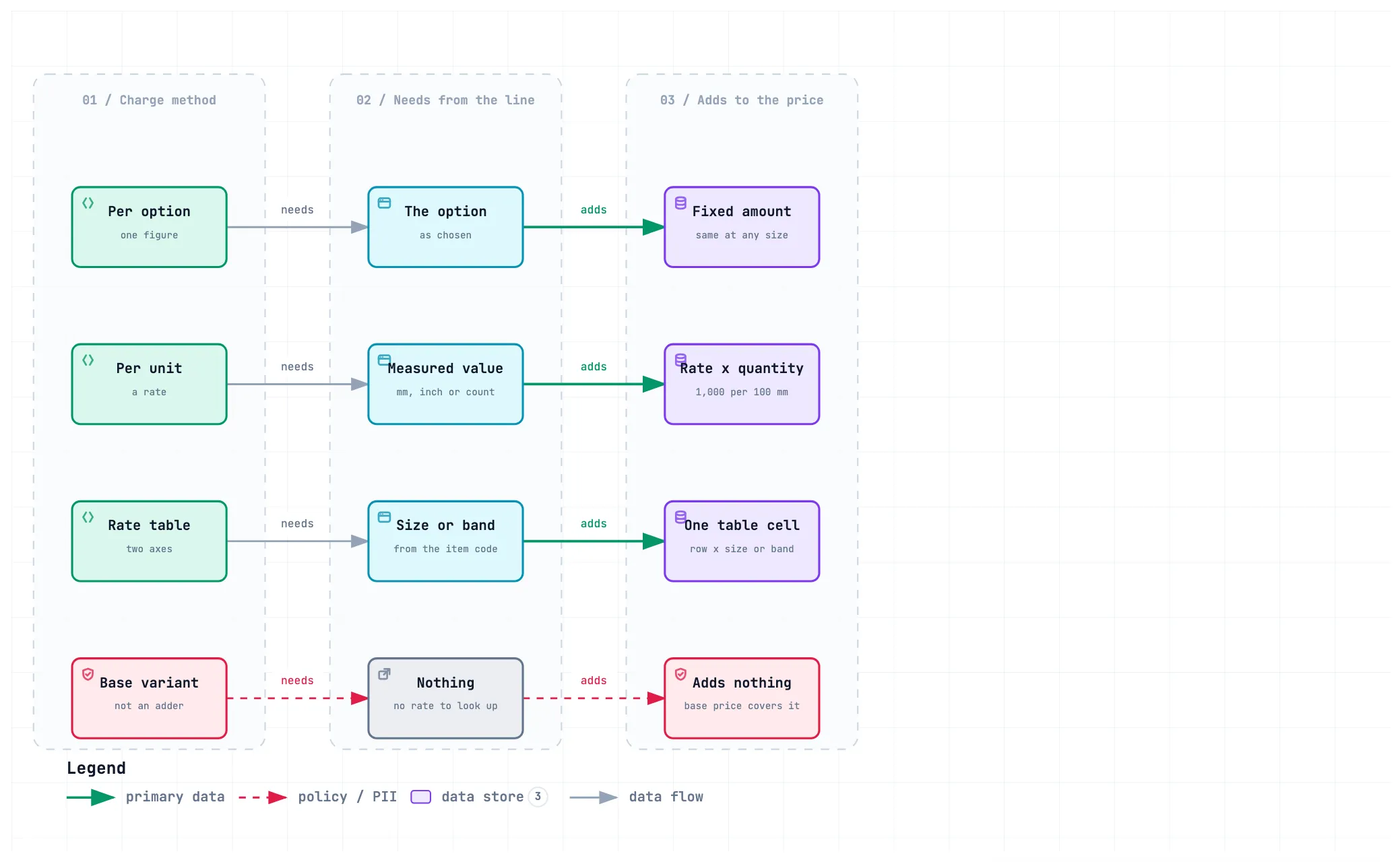
Three shapes, chosen per row in Decodification Master
Decodification Master’s Priced by… already picked the shape; this screen just fills it in:
-
Per option — one rupee figure for the option, whatever the size.
-
Per unit measured — a rate against a measured quantity (millimetres, inches, a count), e.g. “₹1,000 per 100 mm”.
-
Rate table (two axes) — one amount per size. Rows are the item group’s driver rows; columns are its sizes (DN15, DN25, DN50, …). A cell is set on its own, or across several sizes at once with Set multiple.
In a family priced by flow range, a size whose item code has price bands splits into one column per band: the size on the top header row, its bands (
≤ 50 LPM,≤ 150 LPM) beneath. Each band cell is its own rate, and Set multiple lists bands alongside sizes. Sizes without bands keep one column. Band rates are set here only — the datasheet editor’s size grid prices sizes as a whole.
A fourth basis, Base variant, folds the option’s cost into the base price instead of adding to it — there is nothing to set here for it.
An unpriced cell shows a dash, not zero. Nothing falls back to a flat, value-level price — there isn’t one.
A figure can be negative, where an option brings the price down (a cheaper material than the one the unit price assumes), or zero, where it is priced and adds nothing. Both are different from a dash, which means no price has been set.
Versions
An item group’s Decodification Master is versioned independently (see Decodification § Versions). A library value used across several item groups can be priced against a different published version in each — the screen lets you switch which version’s rows and rates you’re looking at within one item group’s entry. Marking a row Driver is not versioned; the rates themselves are.
Removing a library value
The trash button on a library value opens a check before anything is deleted. A value still in use in a datasheet’s current version cannot be deleted, and the dialog says what holds it:
- Datasheets that use it now — listed by item group, each with a link to its editor. Take the option off the row and publish; the value is free once the current version no longer carries it.
- Current prices recorded against it — delete them on the value’s own page.
Older published versions do not stop a delete. When the value also appears there, the dialog says how many versions and what will happen: those options keep the value’s name as plain text, the prices recorded against it in older versions are deleted, and a copy of everything removed is archived. The published versions themselves are not changed.
Deleting cannot be undone from the screen. Deactivate instead is the gentler choice when a value is just no longer wanted: it hides it from the option picker in the datasheet editor, datasheets that already use it keep it, and it can be switched back on from its page.
Setting a price takes effect immediately
There is no review step. Setting a price at a key that already has one overwrites it — the latest entry is the price, with no record of what it replaced (R59).
Because an overwrite discards someone else’s figure, the two are separate rights. Entering the first price against a key needs create rights on the pricing library; replacing a price already there needs edit rights. Someone holding neither still sees every figure, read-only — no input boxes, no Set multiple.
What the business does here
- Enter or correct a fixed, by-parameter, or size-specific rate for a library value, against the charge method Decodification Master already chose.
- Switch between an item group’s published versions to see what a specific quotation line was actually priced against.
- Nothing to approve — a wrong figure is fixed by entering the right one.
- The same figure can also be set from Decodification Master’s row editor instead of coming here — useful when a row you have not touched this session is already priceable and you’re on that screen anyway.
Related: Pricing and totals · Decodification Master · Item Group Master.